🚀 Hostinger AI Website Builder Review 2026: Build a Website in Minutes (No Coding)
Hostinger AI Website Builder Review 2026
Hostinger AI
Table of Contents
✨ Introduction
Building a website used to feel like climbing a mountain—coding, design, hosting… it was overwhelming. But in 2026, things have changed. With the Hostinger AI Website Builder, you can launch a professional website in minutes—no coding, no stress, no confusion.
In this Hostinger AI Website Builder Review 2026, you’ll discover how this powerful tool works, what makes it beginner-friendly, and whether it’s the right choice for you. Whether you’re starting a blog, launching a small business, or creating a portfolio, this AI builder promises speed, simplicity, and smart automation. But does it really deliver? Let’s break it down in a clear, practical way.
🤖 What is Hostinger AI Website Builder?
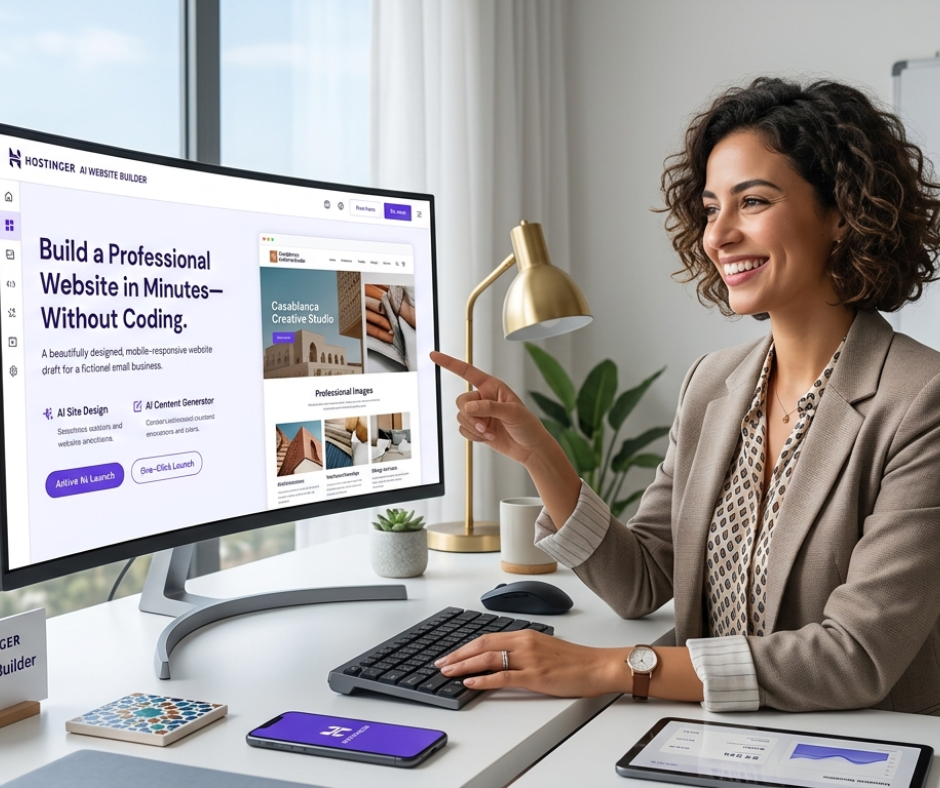
The Hostinger AI Website Builder is an all-in-one platform that uses artificial intelligence to create websites automatically. Instead of designing from scratch, you simply answer a few questions—and the AI builds your entire site for you.
💡 Think of it like having a designer + copywriter + developer in one tool.
🔍 What it includes:
- 🎨 Ready-made design layouts
- ✍️ AI-generated text content
- 🖼️ Images and visual elements
- ⚙️ Built-in SEO settings
This makes it perfect for beginners who want fast results without technical skills.
🏆 Best Hostinger AI Website Builder Alternatives (2026)
Even though Hostinger is powerful, it’s smart to compare your options. Here are the top AI website builders in 2026:
| 🧰 Tool | ⚡ Key Feature | 👤 Best For |
| Hostinger AI Builder | AI builds full site instantly | Beginners & small businesses |
| Wix AI Builder | Advanced customization | Creative users |
| Squarespace AI | Premium design templates | Designers & portfolios |
| Shopify AI | eCommerce automation | Online stores |
🥇 1. Hostinger AI Website Builder
- 🧾 Description: Simple, fast, beginner-focused builder
- ⚡ Key Feature: AI creates website in seconds
- 🎯 Best For: First-time users & freelancers
💰 Budget-friendly and easy to use, this is the top choice for beginners.
🎨 2. Wix AI Website Builder
- 🧾 Description: Flexible builder with smart AI assistant
- ⚡ Key Feature: Deep customization options
- 🎯 Best For: Users who want control over design
⚠️ Slightly more complex than Hostinger.
🖌️ 3. Squarespace AI Builder
- 🧾 Description: Clean, modern, high-end designs
- ⚡ Key Feature: Beautiful templates
- 🎯 Best For: Creators and portfolios
✨ Best for visual impact.
🛒 4. Shopify AI Builder
- 🧾 Description: Built for selling products online
- ⚡ Key Feature: eCommerce tools
- 🎯 Best For: Online store owners
📦 Ideal for scaling a business.
⚙️ How to Use Hostinger AI Website Builder (Step-by-Step)
Creating your website is incredibly simple. Just follow these steps:
🧩 Step 1: Create an Account
Sign up and choose your plan.
🧠 Step 2: Answer AI Questions
Tell the AI about your website idea.
⚡ Step 3: Generate Your Website
The AI builds your site instantly.
🎨 Step 4: Customize
Edit text, colors, and layout easily.
🌍 Step 5: Publish
Launch your site with one click.
⏱️ Total time? Less than 30 minutes.
✅ Pros and Cons
👍 Pros
- 🚀 Super fast website creation
- 👶 Beginner-friendly interface
- 💸 Affordable pricing
- 🔒 Free SSL & hosting included
- 📈 Built-in SEO tools
👎 Cons
- 🎛️ Limited advanced customization
- 🧩 No app marketplace
- ✍️ AI content needs editing
- 🔄 Template switching is limited
❓ FAQ
🤔 1. Is Hostinger AI Website Builder good for beginners?
Absolutely. It’s designed for users with zero experience. The AI does most of the work for you.
🛍️ 2. Can I create an online store?
Yes. You can sell products, manage orders, and accept payments easily.
⚙️ 3. Do I need coding skills?
No. Everything is drag-and-drop and AI-powered.

🧠 Conclusion
The Hostinger AI Website Builder Review 2026 proves one thing: building a website is no longer complicated. With AI doing the heavy lifting, anyone can create a professional-looking site in minutes.
🎯 If you want something fast, simple, and affordable—this is a great choice.
⚠️ If you need advanced features or deep customization, you might explore alternatives.
👉 The best approach? Start simple, launch fast, and improve over time.
❓ FAQs (Bonus Section)
⏱️ 1. How long does it take to build a website?
You can have a basic website ready in minutes and fully polished within an hour.
💰 2. Is Hostinger cheaper than Wix?
Yes, it’s generally more affordable and beginner-friendly.
🧑💻 3. Can I edit my website later?
Yes, you can update content and design anytime.
✍️ 4. Is AI content reliable?
It’s a good starting point, but always review and personalize it.
📊 5. Is it worth it in 2026?
Yes, especially for beginners and small businesses.
You can also read: Best AI Tools for Small Business Marketing in 2026: Save Time & Grow Faster